More screenshots
Works with the AI Agents you already use
 Claude Code
 Cursor
 Codex CLI
 Muse
 Dots+21 moreClaude CodeCursorCodex CLIMuseDots
 Manus
 Grok
 Grok Bot+18 agents
rup-flow: RUP Documentation From Requirements
Turn requirements into a basic RUP documentation set with PlantUML diagrams, for any AI coding agent. Free edition; rup-flow Pro adds design, code in both directions and themes.
Free

rup-flow: RUP Documentation From Requirements
Example session with this skill installed
Use rup-flow to document an online shop in docs/rup, in English. Objective: let customers buy products. Actor: Customer. Requirement RF-001: a customer can place an order for one or more products. Rules: an order has at least one line; a line quantity cannot exceed stock.
- Read your context and instructions
- Compiled the rup-flow
Summary
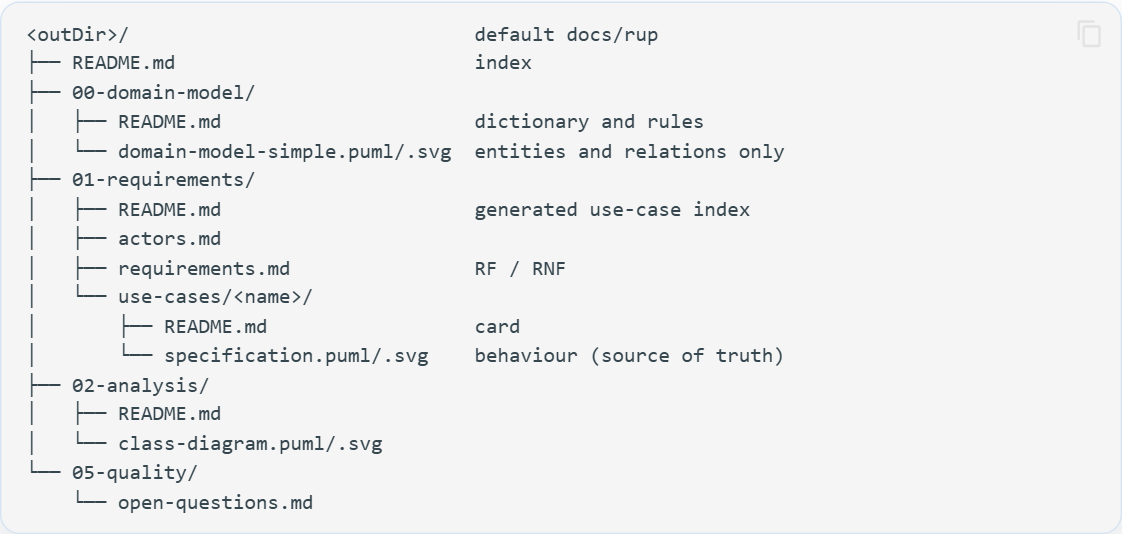
Created the documentation skeleton in docs/rup (English, PlantUML) with the domain model, one use case and the analysis classes. check passes with 0 errors. 2 questions are open and listed instead of assumed. Design, traceability and code need rup-flow Pro.
Generated
| Artifact | Path | Provenance |
|---|---|---|
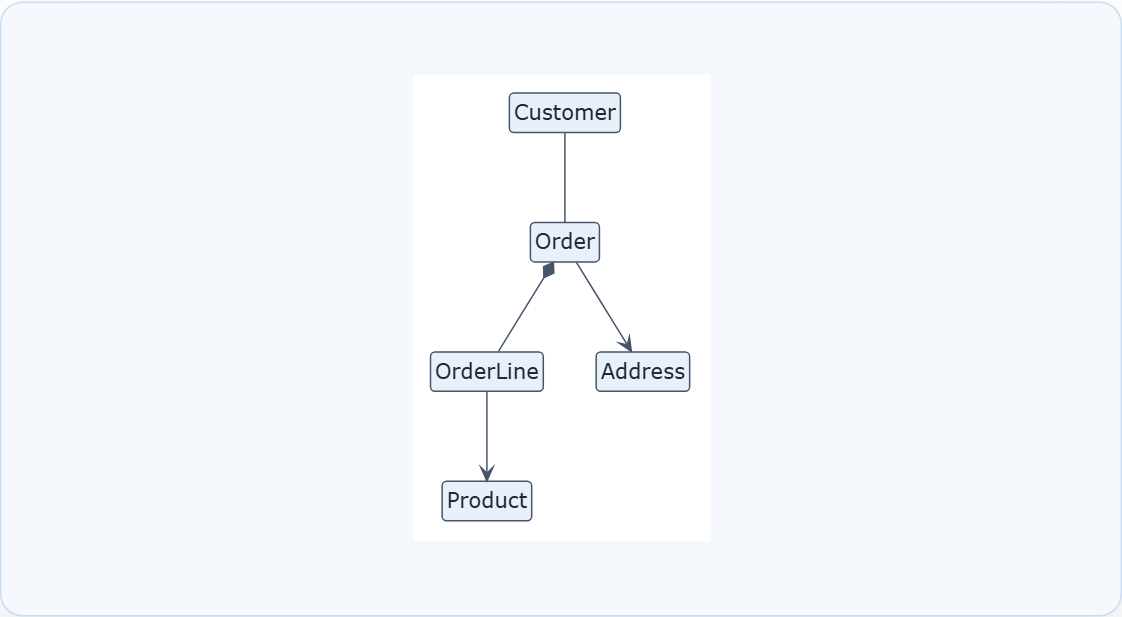
| Simplified domain model | 00-domain-model/domain-model-simple.puml | confirmed + assumed |
| Entity dictionary and rules RN-001..003 | 00-domain-model/README.md | RN-001, RN-002 confirmed; RN-003 assumed |
| Actors and requirements | 01-requirements/ | confirmed |
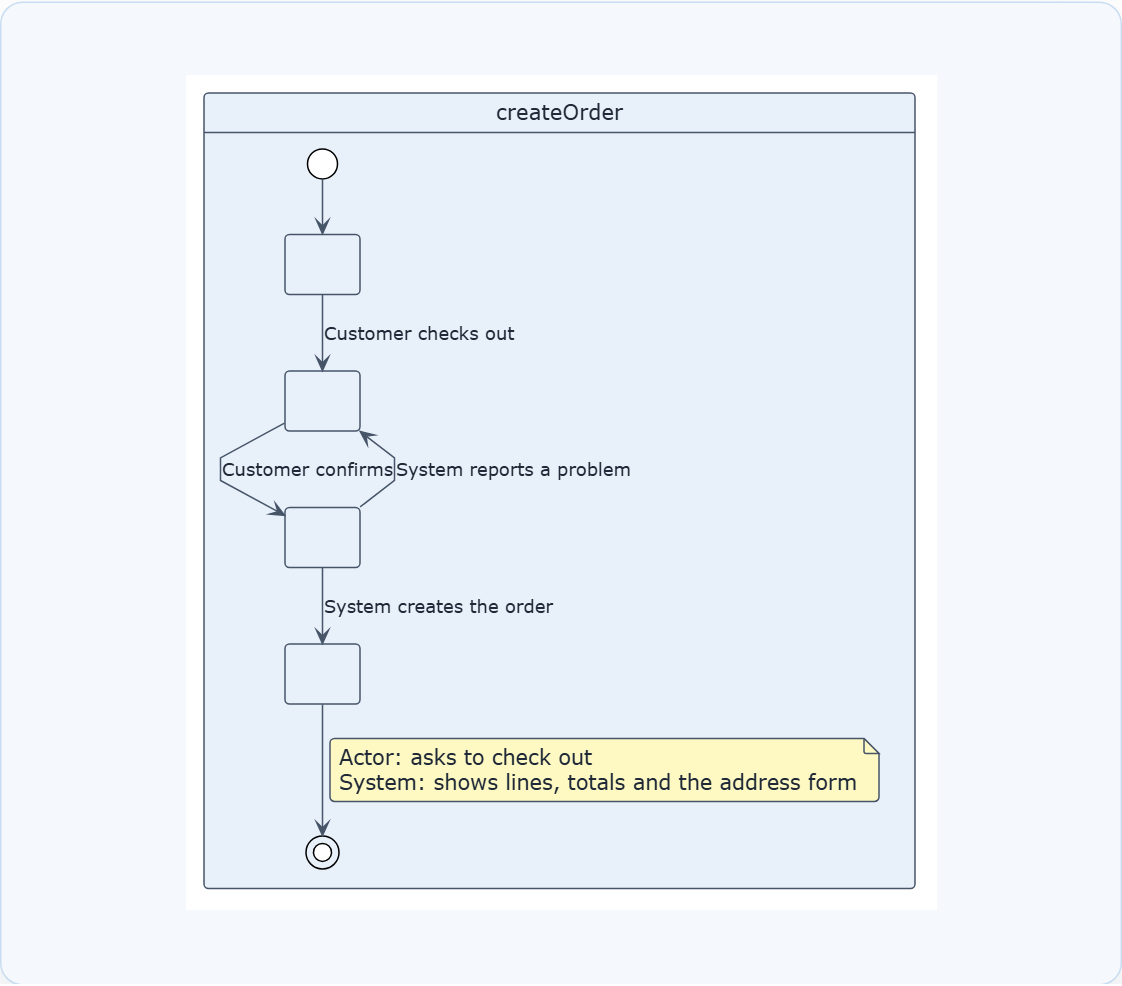
| Use case UC-001 createOrder | 01-requirements/use-cases/createOrder/ | confirmed |
| Analysis classes | 02-analysis/class-diagram.puml | assumed |
Open questions
- Is payment captured while placing the order or afterwards? (blocks UC-001 postconditions)
- Who ships a placed order?
Not covered by this edition
Design, wireframes, traceability and code are part of rup-flow Pro.
Next steps
- Answer the two open questions
- Say "Add the use case cancelOrder" to extend the model
Connects securely to your tools. The creator never sees your data.
About this skill
Document your system the RUP way, with any AI coding agent. This is the free edition of rup-flow: it turns requirements into a consistent documentation set and tells you plainly when you reach what only Pro covers.
Included
- Simplified domain model with entity dictionary and business rules
- Actors and requirements catalogue
- Use cases as cards with a specification statechart of the Actor/System conversation
- Analysis classes (boundary, control, entity)
- A list of open questions: unknown rules are asked, never invented
- Checks for structure, links and diagrams
- Works with Claude, Codex, Gemini, Cursor, Copilot, Windsurf, Cline and any agent with a shell
Not included (rup-flow Pro)
Ranked domain model, use-case diagrams, wireframes, collaborations, design, implementation, traceability, audits, code to RUP and RUP to code, themes, Mermaid and the interactive explorer. The agent names what is missing instead of improvising it.
Documentation
Every command, artifact and diagram, free and Pro: https://hector-ae21.github.io/rup-flow-docs/
Requirements
Node.js 18+. Docker is optional. No telemetry, no accounts.
Excludes design, code, traceability, and entity lifecycles. Requires Node.js 18+ and a PlantUML server/Docker for rendering. Free version restricted to domain and analysis models.
How to use
- 1
Connect your agent to the Agensi MCP
Copy the prompt and paste it into Claude, ChatGPT, Cursor or any agent that supports MCP. It sets up the connection for you. Manual setup
- 2
Sign in to Agensi
Your agent shows a sign-in link. Sign in and click Allow.
- 3
Ask for what you need
Your agent loads this skill and uses it on your task. It always asks before any payment.
Reviews
No reviews yet
Be one of the first to try it. Every listed skill goes through the trust checks below.
Security scanned
Checked by our 8-point scan before listing
1 use
Times used to date
Free forever
No account required to browse
Trust & safety
Security scan
Security scan passed 29 days ago
- Free with an Agensi account
Requires
Permissions
File Scopes
Writes only inside the documentation folder you choose plus rup.config.json. Diagram sources are sent only to a PlantUML server running locally in Docker (127.0.0.1:8085). Docker pulls the public PlantUML image the first time. No telemetry, no accounts.