More screenshots
Works with the AI Agents you already use
 Claude Code
 Cursor
 Codex CLI
 Muse
 Dots+21 moreClaude CodeCursorCodex CLIMuseDots
 Manus
 Grok
 Grok Bot+18 agents
Profile Picture Studio
Create distinctive avatars from photos or ideas: people, pets, objects, moods, holidays and matching sets. Complete free creative workflow.
Free

Profile Picture Studio
Example session with this skill installed
Use Profile Picture Studio to make two coordinated non-person profile pictures: a little sun and a little moon. Use original handmade matte-clay companions, gentle smiles, warm golden/cream colors and a pale powder-blue background. Keep the complete rays and crescent tips visible in a circular crop.
Give me two independent square masters and a 512 × 512 transparent-corner circular PNG for each. Keep the material, light and visual scale coordinated, while giving them different silhouettes. Check real small-size previews. If the environment permits the local crop helper and artifact delivery, also prepare an editable crop workspace. This is a fictional creator demonstration, with no person's photo or identity source.
- Read your context and instructions
- Compiled the profile picture studio
- Generated the image
Complete creator-local worked result
I created two independent original matte-clay companions: a sun and a crescent moon. This is a fictional demonstration with no human or pet identity source.
Finished artwork and actual exports
| File | Actual format | Purpose |
|---|---|---|
| sun-square-master.png | PNG, 1254 × 1254 | Independent full sun artwork |
| moon-square-master.png | PNG, 1254 × 1254 | Independent full moon artwork |
| sun-circle-512.png | RGBA PNG, 512 × 512 | Circular profile export with alpha outside the circle |
| moon-circle-512.png | RGBA PNG, 512 × 512 | Circular profile export with alpha outside the circle |
| profile-workspace.html | Self-contained HTML | Both finished images, editable crop controls, small-size previews and matching navigation |
| pair-notes.md | Markdown | Design choices and continuity observations |
The circle files were downloaded through the real browser crop workspace. Their dimensions were inspected, their corner alpha is zero and their centre alpha is opaque. The square masters are unmodified copies of the selected generated artwork.
Design and continuity notes
- The sun has a warm ochre body, complete rounded rays, closed eyes, a gentle smile and small clay blush marks.
- The moon has a creamy yellow crescent, complete rounded tips, a gentle closed-eye expression and related blush details.
- Both use matte clay, quiet studio light and a pale blue backdrop. Their silhouettes differ so each works independently.
- The handmade surfaces and background tones coordinate; they are not numerically identical.
- The actual square and round views and the 32/48/96-pixel previews were inspected. The sun rays and crescent tips remain visible in the selected round framing.
- There is no face-matching claim, source-photo conversion, public posting or account-photo update.
Use the result
Choose one independent image for each person. Use the square master when the destination applies its own circular mask; use the circular PNG when transparent corners are appropriate. The blue background remains inside the circle. The saved workspace edits crop and selection; it does not regenerate the artwork or create editable face layers.
All listed files were actually produced in the creator's local demonstration. Agensi buyer-side supporting-file execution, permission for generated crop runtime and generated-file retrieval remain unverified. The Skill instructions are supplied through Agensi's agent connection; no downloadable Skill package is promised.
1792327150240-73v7.png
PNG · 1536×1024
Example file from a real run - the skill writes it into your workspace.
Connects securely to your tools. The creator never sees your data.
About this skill
A little image. A world of you.
Create a profile picture that feels considered and personal: a familiar face, your pet, a sleepy cloud, a bold letterform, a quiet coastline, or an original companion. Profile Picture Studio is a complete free creative Skill for making actual artwork, reviewing it at profile size and delivering usable images.
Start with a purpose, not a fixed template
Explore eight curated production collections: little feelings; seasons and celebrations; everyday interests; little companions; quiet worlds; forms and personal marks; matching sets; and people. Choose a fitting subject and originate a new art direction when the brief calls for it.
The guidance includes 12 subject families with 48 idea seeds, 36 medium recipes across 12 craft families, 108 use-case recipes across 18 use families, and 48 mood/occasion recipes. The eight collections contain 32 worked scene plans with production, inspection and delivery criteria. These are creative guides, not claims that each recipe is a separate finished image.
The six gallery boards show 40 actual creator-made examples, including 35 non-person images and five portrait interpretations. All people and reference pets are fictional demonstrations.
Make the medium do real work
Choose photography, ink and graphite, painterly work, printmaking, graphic forms, clay, textile craft, cut or folded paper, ceramic, glass, metal, or pixel illustration. Direct shape, construction, material, light and negative space rather than simply applying a color filter. Adapt the same medium to a person, plant, object, landscape or exact chosen initial without adding faces automatically.
For a real person or pet, inspect the actual source, record the details that matter and compare the finished interpretation beside it. For a mood or holiday edition, return to the original source and approved anchor. Artistic interpretation may change likeness; it is not a face-match guarantee.
Matching means individual files
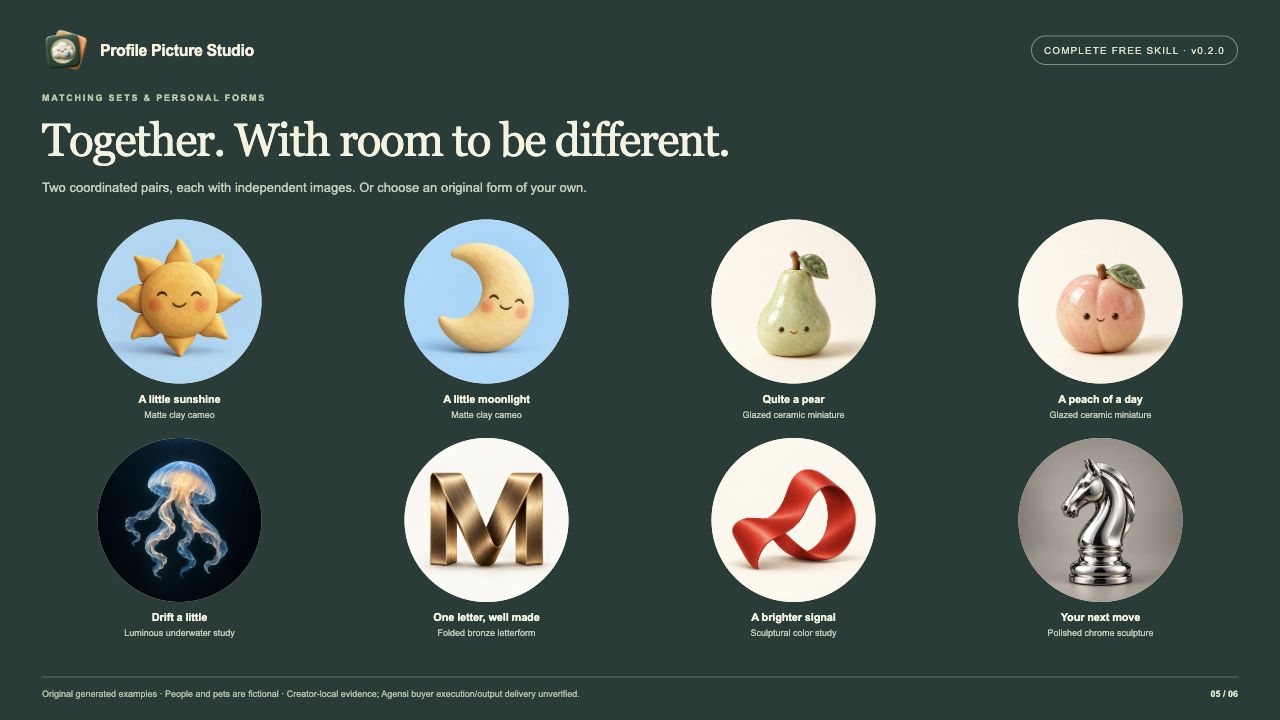
Create independently useful pictures for friends, couples or a community. Share material, light, background and visual scale while giving each member its own identity. The gallery includes separate sun/moon clay images and pear/peach ceramic images. A split collage alone is not the matching-set deliverable.
Fit it to real profile use
Inspect both square and round presentation, important ears, headwear, stems and other silhouette details, then check 32/48/96-pixel views when those sizes are useful for the destination.
An optional Node.js 20+ helper organises already-created PNG/JPEG/WebP images into a self-contained review and crop workspace. It supports search, scene notes, matching-partner navigation, crop and position controls, actual PNG exports, unmodified supplied-master download, a selection sheet, finished-art import and saved/reopened crop state. Circular PNGs have alpha outside the circle; this is not subject background removal. The artwork remains flattened while crop and selection stay editable.
No npm install, seller backend or mandatory paid image API is required by the helper. Image creation runs with the image tools available in your own Agent; the browser workspace does not generate new art. Free Skill access does not include model credits or your Agent subscription.
Evidence and delivery
Creator-local validation passed 42 functional checks covering the catalogue routes, all 40 image decodes, matching navigation, mobile layouts, actual PNG dimensions and alpha, private-source exclusion, imports, saved-file reopening and clean archive extraction/build. The Skill format validator also passed. These are local/synthetic checks, not an external user study or a numerical likeness certification.
Agensi supplies Skill instructions through its agent connection; this listing does not promise downloaded Skill source or offline Skill access. Requested image files, contact sheets and crop workspaces are intended generated user work. Agensi buyer-side supporting-file execution, whether generated work may include the crop runtime, and output retrieval remain unverified. Platform compatibility review is requested before approval. Loading SKILL.md alone does not verify the complete optional helper workflow.
Use only images and reference material you are allowed to provide. Rights to generated art depend on the image tool's terms and your source rights. No account photo is changed and no image is publicly posted automatically.
Artistic interpretation can change likeness, pet markings and fine details; human acceptance is still needed. No numeric identity score, popularity ranking, trademark clearance or universal aesthetic guarantee. Raster artwork is flattened; crop/selection editing is not layered face editing. Circular alpha is a profile mask, not background extraction. Enlarged exports do not create verified source detail. The browser crop helper does not generate images or infer faces. Guidance counts are distinct from 40 creator examples. Agensi buyer-side auxiliary execution, permitted generated runtime and output retrieval, external user testing and cross-browser offline reopening remain unverified. Image-provider costs and output rights depend on the buyer's chosen tool and sources.
How to use
- 1
Connect your agent to the Agensi MCP
Copy the prompt and paste it into Claude, ChatGPT, Cursor or any agent that supports MCP. It sets up the connection for you. Manual setup
- 2
Sign in to Agensi
Your agent shows a sign-in link. Sign in and click Allow.
- 3
Ask for what you need
Your agent loads this skill and uses it on your task. It always asks before any payment.
Reviews
No reviews yet
Be one of the first to try it. Every listed skill goes through the trust checks below.
Security scanned
Checked by our 8-point scan before listing
1 use
Times used to date
Free forever
No account required to browse
Trust & safety
Security scan
Security scan passed 1 month ago
- Free with an Agensi account
Requires
 Node.js
Permissions
Read only user-approved source images, briefs and project data. Use the Agent's authorised image tools for actual artwork; do not add an external image service without appropriate permission. Optional terminal/file tools build requested generated image/crop outputs into an agreed new folder. A browser is used for visual review, crop controls and actual exports. Network access depends on the user's selected image tool and is otherwise optional. No required account connection, secrets, creator backend, automatic account-photo change, public posting or upload of private photos as demonstrations. Source images are excluded from the helper by default; include them only for an appropriate private or cleared demonstration. Do not save or export Agensi Skill instructions. Platform permission for generated crop runtime and artifact retrieval must be confirmed separately.