More screenshots
Works with the AI Agents you already use
 Claude Code
 Cursor
 Codex CLI
 Muse
 Dots+21 moreClaude CodeCursorCodex CLIMuseDots
 Manus
 Grok
 Grok Bot+18 agents
Lux Visual Systems - Lux Swiss Supporter Edition
Lux Swiss interface system with Image Direction included. A Supporter Edition for coherent UI and imagery that also supports independent development.
$6.99

Lux Visual Systems - Lux Swiss Supporter Edition
Example session with this skill installed
I need a new React card component for a user profile using the Lux Swiss design system. It should show an avatar, name, bio, and an 'Edit' button. Make it look good for dark mode too.
- Read your context and instructions
- Compiled the lux visual systems
- Generated the UI component
I have generated the Lux Swiss profile card. It utilizes the card elevation token (--card), hard 1px borders, and the Space font flavor. The layout follows the system's strict duotone rules with zero shadows and uppercase mono labels for metadata.
Lux Swiss Profile Card
import { User, Edit3 } from 'lucide-react';

export default function ProfileCard() {
  return (
    <div className="w-full max-w-md border border-border bg-card p-6 transition-colors">
      <div className="flex items-start gap-6">
        {/* Avatar Container with hard border */}
        <div className="flex-shrink-0 border border-border bg-background p-1">
          <User className="h-12 w-12 text-foreground icon" />
        </div>

        <div className="flex-grow">
          {/* Metadata Label */}
          <span className="font-mono text-xs uppercase tracking-[0.2em] text-muted-foreground">
            User Profile
          </span>

          <h2 className="mt-1 font-display text-2xl font-bold text-foreground">
            Erik Spiekermann
          </h2>

          <p className="mt-4 font-sans text-sm leading-relaxed text-foreground/80">
            Type designer and information architect. Focused on grid systems,
            legibility, and the restraint of duotone interfaces.
          </p>

          <div className="mt-6 flex items-center justify-between border-t border-border pt-4">
            <button className="flex items-center gap-2 font-mono text-xs uppercase tracking-[0.2em] text-muted-foreground hover:text-foreground transition-colors">
              <Edit3 className="h-4 w-4 icon" />
              Edit Settings
            </button>

            <div className="h-2 w-2 rounded-full bg-primary" title="Status: Active" />
          </div>
        </div>
      </div>
    </div>
  );
}
Next steps
- Ensure
assets/theme.cssis imported in yourlayout.tsxorglobals.css. - Add the
.darkclass to the<html>element to preview the near-black and cream dark mode variant. - Verify that the
Space GroteskandSpace Monofonts are loaded via Google Fonts.
Included Image Direction example
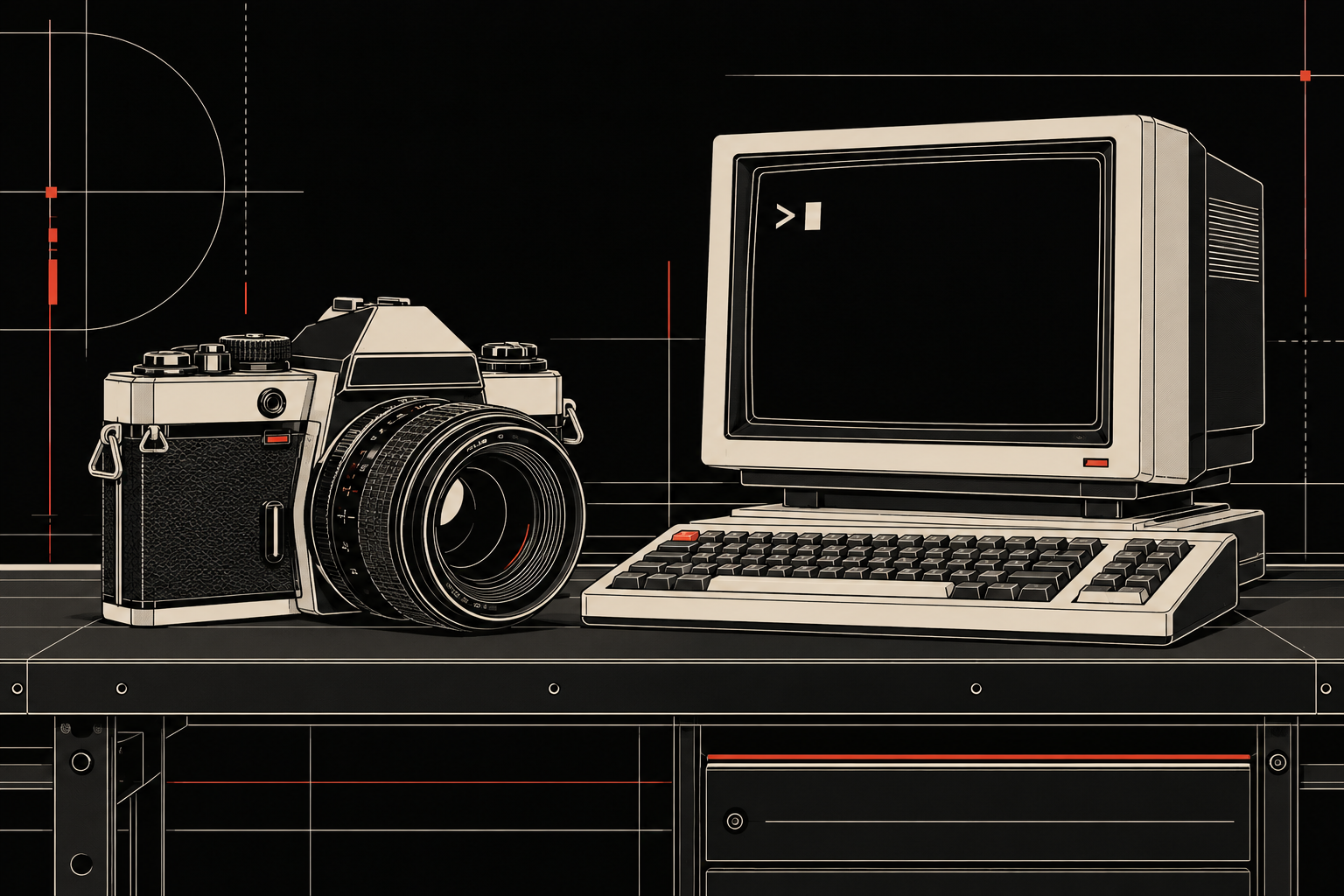
Actual local Codex image-generation example: a camera and terminal on one workbench, technical-vector style, dark mode, cream and red accents. This image was generated from the text workflow; it is not a test of Agensi image-file delivery.
theme.css
TSX · React component
Example file from a real run - the skill writes it into your workspace.
Connects securely to your tools. The creator never sees your data.
About this skill
Supporter Edition
This edition includes Lux Swiss and Image Direction in one purchase. Thank you for supporting the work that goes into both.
I use Lux Swiss to give interfaces a consistent visual language. This Agensi pack now includes Image Direction too, so the same purchase covers the interface and the images around it.
Two skills included
Lux Swiss provides the interface rules, theme.css, typography choices and component references. Ink, cream and governed red keep the palette restrained.
Image Direction provides a separate workflow for editorial graphics, illustrations, sticker and character sheets, photographic treatments and technical visuals. It establishes the rendering medium and color mode, separates subject identity from style, and guides revisions.
Use either workflow as needed. Image Direction is included in this purchase; there is no second skill purchase required to use it. The sibling interface system is not included.
References and host requirements
The image workflow includes a canonical master and three curated original reference PNGs, plus readable descriptions. Agensi delivers text to agents and lists binary images without serving their pixels. Close visual matching needs reference images that your host can actually inspect and attach. ZIP inclusion alone does not provide that access.
Your agent needs its own image-generation/editing capability for image output. No image model, credits, native plugin installation or private source access is included. The existing camera/terminal example was generated locally in Codex, not retrieved or tested through Agensi.
What remains open
The Lux Swiss interface core remains available through its showcase and GitHub under its existing licenses. The Supporter Edition adds Image Direction and managed access to both workflows. The public interface core remains available under its original licenses.
Existing owners receive the approved package update through this same listing, without buying it again.
Agensi MCP serves text but not binary image pixels. Four curated reference PNGs are packaged with text descriptions; exact visual grounding requires actual host-visible images. No image model/credits, native plugin installation, private source access or sibling interface system is included. No live Agensi retrieval or cross-host image-fidelity test has been performed.
How to use
- 1
Connect your agent to the Agensi MCP
Copy the prompt and paste it into Claude, ChatGPT, Cursor or any agent that supports MCP. It sets up the connection for you. Manual setup
- 2
Sign in to Agensi
Your agent shows a sign-in link. Sign in and click Allow.
- 3
Ask for what you need
Your agent loads this skill and uses it on your task. It always asks before any payment.
Reviews
No reviews yet
Be one of the first to try it. Every listed skill goes through the trust checks below.
Security scanned
Checked by our 8-point scan before listing
Fresh listing
Recently published to Agensi
Money-back guarantee
Doesn't do what its page promises? You get your money back.
Trust & safety
Security scan
Security scan passed 21 days ago
Requires