Works with the AI Agents you already use
 Claude Code
 Cursor
 Codex CLI
 Muse
 Dots+21 moreClaude CodeCursorCodex CLIMuseDots
 Manus
 Grok
 Grok Bot+18 agents
Lux Visual Systems - Image Direction
Give generated images a consistent visual language: Swiss editorial structure, controlled palettes and analogue texture. A text-first art-direction skill for image-capable agents.
$4.99

Lux Visual Systems - Image Direction
Example session with this skill installed
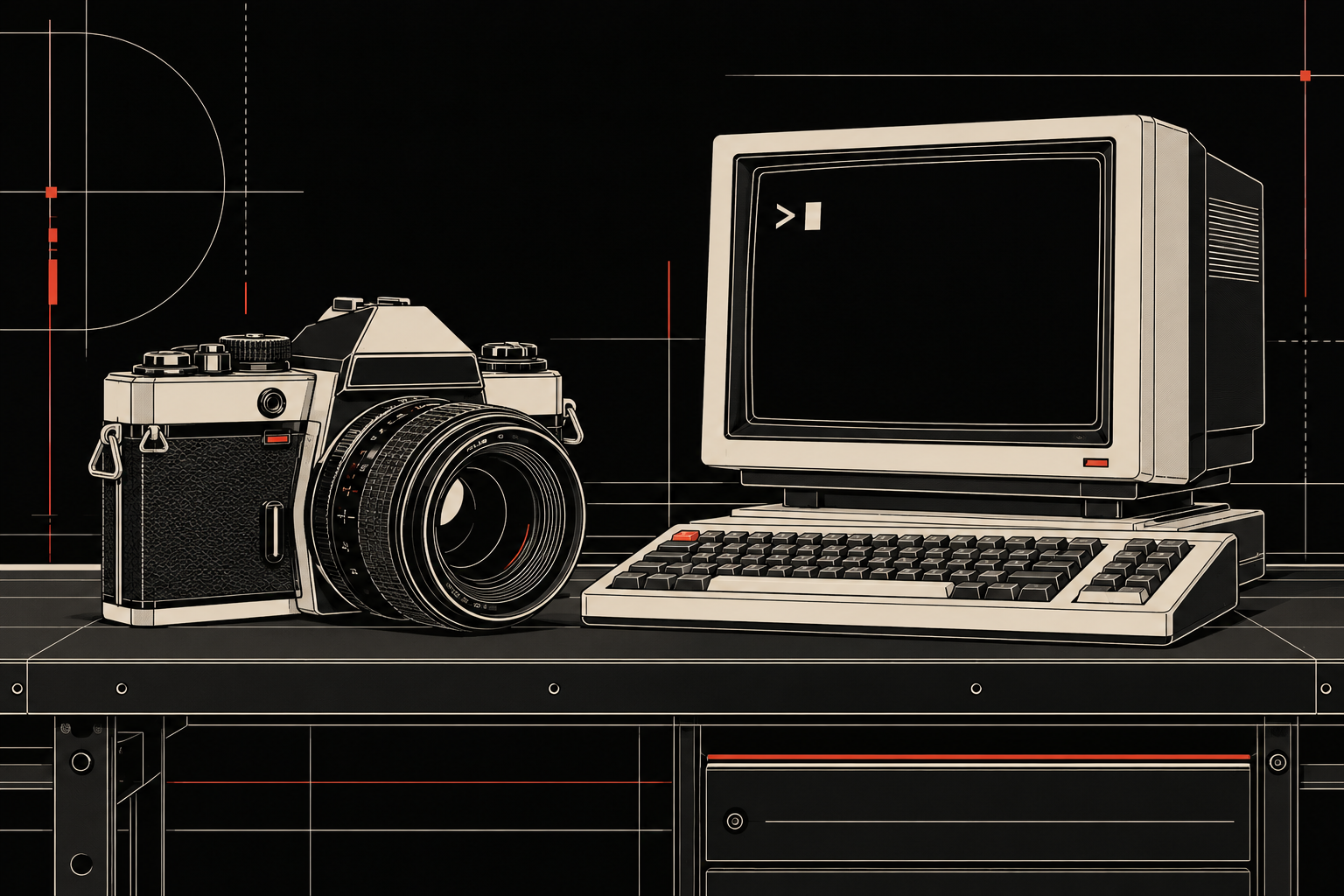
A camera and terminal on a workbench, technical vector style, dark mode with cream and red accents.
- Read your context and instructions
- Compiled the lux visual systems
- Generated the image
a generated landscape illustration with an unbranded SLR camera, CRT
terminal and keyboard resting on one workbench. Cream outlines, small mechanical
details and fine structural rules sit on a black field; red appears as sparse
hardware accents and layout marks. The terminal contains a prompt mark and block
cursor rather than invented code. The shared bench anchors the two objects as one
scene. The final PNG is 1536 × 1024 pixels.
This is an actual generated result, produced locally with Codex's built-in image
tool using the text-first adaptation. No native image-reference assets were
attached to the generation call. It demonstrates this visual brief and a real
host capability; it is not a test of purchasing or loading the skill through
Agensi, and does not establish identical results across agents or image models.
1793031820229-7r1i.png
PNG · 1536×1024
Example file from a real run - the skill writes it into your workspace.
Connects securely to your tools. The creator never sees your data.
About this skill
I built Lux Visual Systems to keep the images I make from changing visual language every time the subject changes. It gives an agent rules for composition, color, typography and references, then keeps those decisions in place during revisions.
The starting point is Swiss editorial structure: a clear grid, strong hierarchy, room around the subject and a controlled palette. It can direct technical graphics, analogue photographic treatments and anime-inspired illustrations without asking all of them to look like the same image.
What it does
- Establishes the rendering medium and light/dark mode before generation.
- Separates subject identity from the visual system applied around it.
- Guides editorial graphics, illustrations, sticker and character sheets.
- Carries successful choices through revisions, including mode-only edits.
- Provides reusable direction for independent visual projects and imagery that belongs to an existing brand or interface.
What this Agensi edition contains
Text instructions, the visual-system specification, format guidance and a curated reference catalogue. The uploaded package includes the original master board and three selected reference images: technical editorial, photography/equipment and a dark architectural illustration. The full native library is not included.
Agensi delivers text to agents, not image pixels. The reference descriptions and system rules are readable through MCP; the PNG files are listed but not served. Visual grounding requires those images to be accessible through your host. If you need a close match to a reference, the skill asks for an accessible image rather than claiming it has seen a board it cannot read.
Your agent needs its own image-generation or editing capability to produce images. Agensi supplies the skill; it does not supply an image model or credits, and this listing does not install a native Codex or Claude plugin.
Standalone use
Lux Visual Systems - Image Direction is a complete, standalone art-direction workflow. You do not need to own Lux Swiss, Tri-Swiss or another design system to use it. Bring a visual brief and an agent with the image tools you want to use.
This is the same Image Direction workflow already included in the Lux Swiss Supporter Edition, Tri-Swiss Supporter Edition and Lux Visual Systems Bundle. If you own one of those, you already have Image Direction and do not need this separate purchase.
This listing is for people who want image direction on its own, without an interface design system. The purchase includes only the Image Direction skill described above.
Buying through Agensi gives you the text-first workflow through a curated catalogue, with purchase and access managed by the platform. The native source is maintained privately for my own practice.
Requires the host agent’s own image-generation/editing capability. Four curated PNG references are in the upload ZIP, but Agensi MCP lists binary files without serving their pixels. Close visual matching requires actual reference images accessible through the host. No generator/credits, full native library, private source access or native plugin installation is included. The demo is a real earlier local text-only run; Agensi delivery and visual-reference matching remain untested.
How to use
- 1
Connect your agent to the Agensi MCP
Copy the prompt and paste it into Claude, ChatGPT, Cursor or any agent that supports MCP. It sets up the connection for you. Manual setup
- 2
Sign in to Agensi
Your agent shows a sign-in link. Sign in and click Allow.
- 3
Ask for what you need
Your agent loads this skill and uses it on your task. It always asks before any payment.
Reviews
No reviews yet
Be one of the first to try it. Every listed skill goes through the trust checks below.
Security scanned
Checked by our 8-point scan before listing
Fresh listing
Recently published to Agensi
Money-back guarantee
Doesn't do what its page promises? You get your money back.
Trust & safety
Security scan
Security scan passed 21 days ago
Requires
Permissions
Reads its bundled text references through Agensi. Image generation and inspection of user-supplied references require the host’s own tools and permission. No native plugin installation, private-repository access, credentials, terminal execution or broad local-file access is required.