More screenshots
Works with the AI tools you already use
 Claude Code
 Cursor
 Codex CLI
 GitHub Copilot
 Gemini CLI+20 moreClaude CodeCursorCodex CLIGitHub CopilotGemini CLI
 OpenClaw
 Manus
Manus Grok+17 agents
Fisheye City Magazine Cover
Turn your photo into a complete Y2K city cover with bold fisheye optics and a chrome headline.
$5

Fisheye City Magazine Cover
Example session with this skill installed
I uploaded a street portrait taken in Chengdu. Use $fisheye-city-cover to make a Y2K fisheye city magazine cover. Choose the indigo treatment and set the title to CHENGDU. Keep the person, sunglasses, headphones, outfit, and pose from my photo.
- Read your context and instructions
- Compiled the fisheye city magazine
- Generated the image
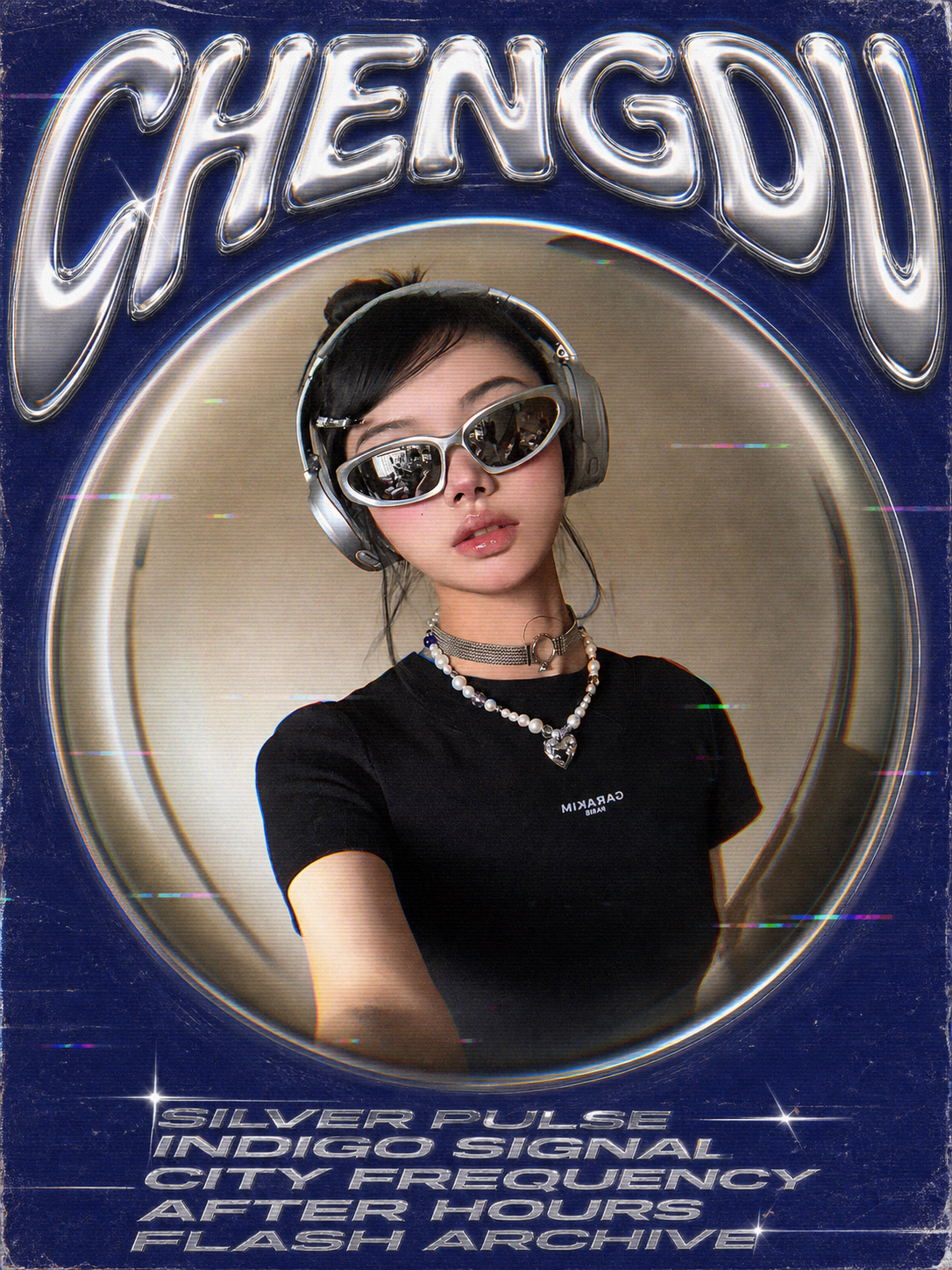
Result: One 3:4 indigo city cover with CHENGDU in oversized liquid-chrome lettering, a strong fisheye center, silver information text, and restrained old-digital artifacts. The subject, sunglasses, headphones, clothing, and selfie pose follow the supplied photo.
The image is an actual generated result from the original Wibi Style project. This English edition retains the same visual reference and core design constraints; its localized runtime has not yet been image-tested.
fisheye-city-magazine-cover.png
PNG · 1536×1024
Example file from a real run - the skill writes it into your workspace.
Connects securely to your tools. The creator never sees your data.
What you get
About this skill
WHAT YOU GET
- A complete Y2K fisheye magazine cover from one photo — layout, typography, and effects in a single pass.
- Bundled fisheye distortion, an all-silver title system, and retro digital effects.
- Three color templates with customizable city title and small text.
About this skill The problem A convincing magazine cover is a design project: warped layout, title hierarchy, cover lines, color grading. Doing it manually takes a designer; prompting it piecemeal takes a dozen iterations.
What it does
- One-pass cover build: Generates the fisheye layout, silver title system, and retro effects together so nothing clashes.
- Template system: Offers three color templates to match different moods and cities.
- Editable cover text: Lets the buyer set the city title and small text instead of accepting garbled typography.
Use cases
- Travel photos dressed as collectible magazine covers.
- Event and party announcements with Y2K flair.
- Portfolio pieces that show a photo in editorial context.
Known limitations Text rendering follows the templates; very long custom titles may be shortened. Best with photos that have a clear central subject.
How to install
Works the same in every agent - Claude, Cursor, Codex, Copilot and 20+ more.
- 1
Download the ZIP
Free skills download straight away. Paid skills unlock right after purchase.
- 2
Unzip into your skills folder
Every agent reads skills from one folder on your machine. Drop the unzipped folder in there.
- 3
Ask your agent to use it
Restart the agent if it was already running. It picks the skill up automatically - no config needed.
Skills folder by agent
Click the path to copy it. Create the folder if it does not exist yet.
Reviews
No reviews yet
Be one of the first to try it. Every listed skill passes our trust checks below.
Security scanned
Passed our 8-point scan before listing
Fresh listing
Recently published to Agensi
30-day refund
Not a fit? Get your money back
Trust & safety
Security scanned
Verified clean 3 days ago
- Passed all security checks, Safe to install