More screenshots
Works with the AI Agents you already use
 Claude Code
 Cursor
 Codex CLI
 Muse
 Dots+21 moreClaude CodeCursorCodex CLIMuseDots
 Manus
 Grok
 Grok Bot+18 agents
Byte Skills
14 composable skills for AI coding agents. Discuss, build and verify; connect chats with Byte Bridge, supervise long jobs, and reuse your own workflows.
Free

Byte Skills
Example session with this skill installed
Introduce the five everyday Byte Skills entry points—byte-do, byte-auto, byte-discuss, byte-bridge and byte-workflow—with practical prompts. Then show one experiment workflow: discuss an ablation, implement and test it, verify training startup, hand the long run to a selected supervisor chat with failure/completion events plus a 30-minute fallback, return evidence to main for verification and continuation, and save the loop for another project. Group the intermediate skills together and show the supported agent apps.
- Read your context and instructions
- Compiled the byte
- Generated the UI component
1. Five everyday entries
Byte has 14 skills, but you can start with these five. Choose an entry by intent; the intermediate capabilities are selected as needed.
byte-do — Describe what you need
The natural-language entry. Give Byte the task, constraints and desired result; it selects and combines the useful skills automatically. Use it for everyday changes, mixed requests or when you do not know which skill to call.
$byte-do Add the selected ablation to this model, preserve the baseline, run the relevant tests, and summarize the evidence.
byte-auto — Complete the default workflow
Give Byte a goal and acceptance criteria. It drives the default delivery workflow: clarify, plan, implement, verify, repair and accept the overall result, bringing in research when needed. It adapts the depth to the task and advances authorized next steps without asking you to invoke every intermediate skill. A stage finishing does not mean the overall goal is accepted.
$byte-auto Complete the agreed experiment workflow. Verify the code and returned artifacts, repair in-scope failures, and keep the fixed acceptance criteria in view.
byte-discuss — Think it through together
Clarify a rough idea, compare options, narrow scope and make a practical decision before implementation. Surface the questions that could change the choice and agree the evidence needed to judge it.
$byte-discuss Our baseline plateaus early. Compare normalization, learning-rate and representation explanations, and recommend one bounded ablation.
byte-bridge — Connect, delegate, supervise and return
Connect selected original chats in one app or across apps. Main owns design, core code, startup and final acceptance. A worker handles a scoped task; a supervisor watches an exact long run. Bridge records delivery and return receipts while the Byte workflow retains work ownership and acceptance. The complete engine and adapters are part of Byte.
$byte-bridge Connect this main chat and my selected supervisor in the same project. Verify native identities. After main confirms training startup, hand over the exact run, logs, acceptance criteria and permitted repairs. Use verified failure/completion events plus a 30-minute fallback. Return evidence, stop this run's monitor, and have main verify and continue.
Role assignment alone creates no task or schedule. Use a same-task native subagent for a short bounded wait when authorized. Long jobs can use a separate supervisor. Model choice, native activation, events and idle wake depend on the selected app and its supported mode.
byte-workflow — Save your process for another project
Define custom steps, branches, loop conditions, acceptance evidence and main/supervisor responsibilities. Save the workflow in the local library; each project gets its own pinned snapshot and session bindings. Saving a definition does not start a timer.
$byte-workflow Save this reusable loop: analyze results -> characterize the problem -> research -> design -> implement and test -> experiment -> analyze again. Main owns design and acceptance; the supervisor watches long runs. Repeat within the agreed resource limit until overall acceptance passes.
These are Codex-style calls after local installation; trigger syntax depends on the client. A pinned custom workflow defines the route when one is bound to the project.
2. Supporting capabilities
| Work inside the process | Skills |
|---|---|
| Explore alternatives and check sources | byte-brainstorm, byte-research |
| Plan, implement, review and save later ideas | byte-plan, byte-build, byte-review, byte-future |
| Inspect progress and preserve handoff evidence | byte-status, byte-relay |
| Apply the training/ablation supervision preset | byte-design-supervise |
3. One experiment, from discussion to verified continuation
Illustrative walkthrough adapted from real project usage, not a new execution transcript or an Agensi-hosted run.
Discuss: compare the baseline evidence and choose one ablation. Fix the quality target, allowed data, resource budget and acceptance before training.
2.
Build and verify: use byte-do for the selected change, or byte-auto for the complete delivery workflow. Preserve the baseline, run focused tests and review the artifacts. Code readiness and model-quality acceptance are separate.
3.
Confirm startup: main launches the authorized experiment, checks that it is actually running, and records its run identity, configuration, logs, acceptance and permitted repair scope.
4.
Hand off with byte-bridge: main delegates that exact run to the chosen supervisor. Both native identities, acknowledgement, monitoring and the return path must be verified before main ends its turn to wait.
5.
Supervise: a verified failure/completion event can notify the supervisor; the authorized 30-minute periodic check is the fallback. Without a working event adapter, detection follows the periodic check. The supervisor makes only in-scope repairs or returns the failure evidence to main.
6.
Return and continue: on completion, return metrics, logs and artifact hashes. Main independently checks them and the acceptance criteria, then actually executes the next authorized step. A delivered message or an acknowledgement alone does not establish continuation.
7.
Close the right monitor: stop this run's monitor at handback. An explicitly authorized research-loop monitor remains governed by its overall acceptance, pause and blocker conditions.
If results miss the fixed quality target, return to analysis, literature and solution design within the agreed budget. Verified overall acceptance ends the loop. No new model, paid training run or schedule is authorized simply by loading a skill.
For an actual project record, read the GraD-Pert walkthrough. Its historical evidence predates the Byte Bridge entry; the prompts are adapted to current names and distinguish readiness evidence from pending training.
4. Agent apps and reuse
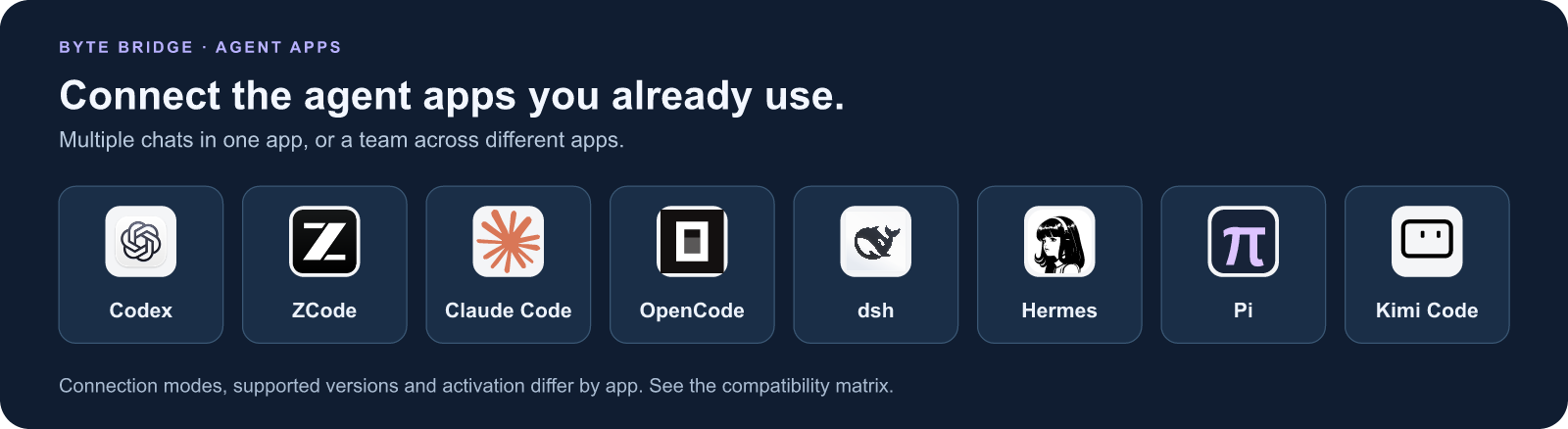
Codex, ZCode, Claude Code, OpenCode, dsh, Hermes, Pi and Kimi Code have app-specific connectors. Check the version and session-mode matrix; icons do not imply every app supports arbitrary existing-chat attachment or idle wakeup.
Reuse the saved workflow in another project with new parameters and exact main/supervisor bindings. The source, adapters and tests are maintained together in Byte Skills. If it is useful, a GitHub star helps others discover it.
agents.png
TSX · React component
Example file from a real run - the skill writes it into your workspace.
Connects securely to your tools. The creator never sees your data.
About this skill
Build. Verify. Collaborate.
Byte Skills is a free, MIT-licensed pack of 14 composable skills for AI coding agents. Start with five everyday entries: byte-do, byte-auto, byte-discuss, byte-bridge and byte-workflow. Supporting skills handle research, planning, implementation and review as needed.
Byte Bridge: keep your chats, share the work
Connect selected conversations in the same app or across agent apps. Assign main, worker and supervisor roles; delegate a scoped task; supervise an identified long run; return logs, metrics and artifacts for the main chat to verify and continue. Connecting chats or assigning roles alone starts no task or monitor.
Connectors cover Codex, ZCode, Claude Code, OpenCode, dsh, Hermes, Pi and Kimi Code. Supported versions, activation and session modes differ by app. Existing-chat attachment and a new managed session are different modes; event delivery and idle-chat wakeup require verification in the chosen environment. Your apps keep their context, models, accounts and tool permissions. The bridge core makes no model API calls.
Choose your way in
- byte-do: describe a task in natural language; Byte selects the relevant skills.
- byte-auto: drive the default full delivery workflow through implementation, verification, repair and acceptance.
- byte-discuss: compare ideas and settle scope before building.
- byte-bridge: connect chats, delegate work, supervise long runs and return results.
- byte-workflow: save custom steps, conditions, loops, acceptance and session roles locally for reuse.
Install the complete local pack
For the latest complete 14-skill pack, follow the GitHub installation guide below; marketplace downloads follow Agensi approval. With an up-to-date ZIP, extract it and run bash install.sh --all. For Bridge, use bash install.sh --all --bridge with Node.js 24.15–24.x. Installation does not start a model, service, chat or monitor. Agensi text loading alone does not install the complete local runtime. The full Bridge project is maintained inside Byte; no separate SessionBridge project is needed.
Explore Byte Skills on GitHub → · Compatibility matrix
If Byte Skills helps you, consider giving the GitHub repository a star.
Install the complete local directory tree; Agensi text loading or temporary-script execution alone does not reproduce the engine. Byte Bridge connects only supported app versions and session modes. Role assignment alone creates no task or monitor. Failure/completion event delivery and idle-chat wakeup need environment-specific verification; otherwise periodic checks determine detection latency. Local services pause during machine sleep. The pack does not purchase model access, switch models, host agents, provide compute credits, or guarantee research outcomes.
How to use
- 1
Connect your agent to the Agensi MCP
Copy the prompt and paste it into Claude, ChatGPT, Cursor or any agent that supports MCP. It sets up the connection for you. Manual setup
- 2
Sign in to Agensi
Your agent shows a sign-in link. Sign in and click Allow.
- 3
Ask for what you need
Your agent loads this skill and uses it on your task. It always asks before any payment.
Reviews
No reviews yet
Be one of the first to try it. Every listed skill goes through the trust checks below.
Security scanned
Checked by our 8-point scan before listing
Fresh listing
Recently published to Agensi
Free forever
No account required to browse
Trust & safety
Security scan
Security scan passed 17 days ago
- Free with an Agensi account
Requires
 Git
 Node.js
 macOS
Permissions
File and shell access support authorized coding, tests and local workflow records. Browser/network access is used for requested research, repository access or authorized remote jobs. Environment variables may supply runtime/session identity; no API key or account is required by the pack itself. Project changes remain within user-authorized scope. Installation replaces matching Byte skill directories. No timer, paid job or external message is authorized merely by loading a skill.